Kick Diary
Track kicks. Spot patterns. Share progress.

Kick tracking that feels calm, clear, and easy to use.

Kick Diary helps families log baby kicks, review movement trends, follow meal correlations, and keep a trusted diary that can sync with iCloud and be shared with the people who matter most.

Email Support
Timeline Track kicks, meals, and session events in one place.
Insights See today, yesterday, and weekly movement summaries.
Support Need help? Reach us anytime at diarykick@gmail.com.

What Kick Diary gives you

The app is built to make daily tracking fast while still giving you useful, reassuring context around movement patterns.

Everyday tracking

Quick logging without friction

Add kicks in a tap, log meals, or start a focused kick session when you want to count movement over time.

  • Fast kick and meal buttons on the Home screen
  • Session mode for longer kick counting
  • Events timeline with kick, meal, and session activity
Patterns

See how movement changes through the day

Review Today, Yesterday, Last Week, Last Month, or custom date ranges to better understand your baby’s rhythm.

  • Intraday charts and longer trend views
  • Overview cards for total kicks, averages, and most active periods
  • Hourly and daypart patterns across time
Connected diary

Keep your diary backed up and close to your support circle

iCloud sync keeps your data available across devices, and diary sharing lets trusted people follow along with read-only access.

  • iCloud sync for backup and continuity
  • Read-only sharing for partners or caregivers
  • Profile switching when multiple diaries are shared with you

A quick look inside the app

These screens show the Home timeline, analytics overviews, and the insight cards that help translate raw logs into something easier to understand.

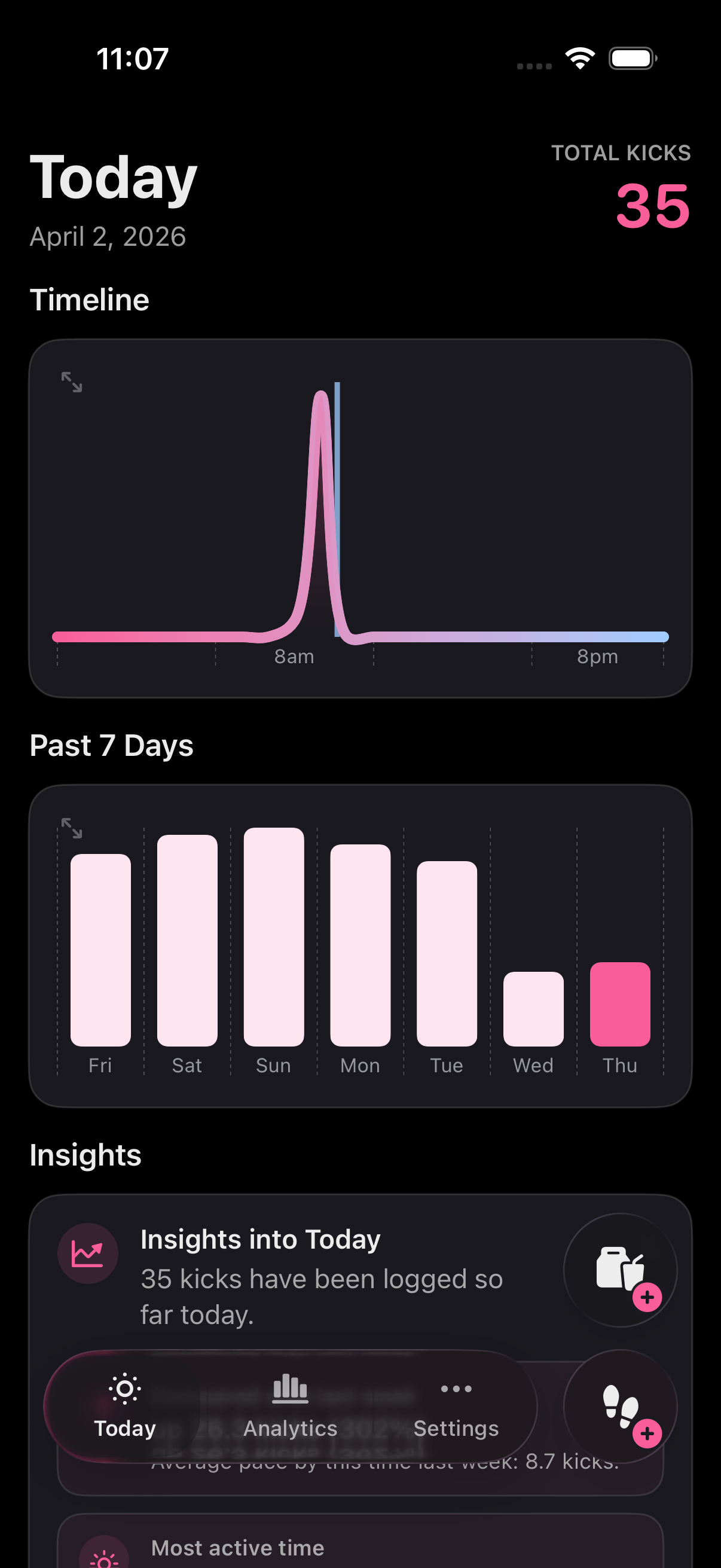
Kick Diary home screen.

Today at a glance

See the timeline, the past 7 days, your latest insights, and quick actions from one calm screen.

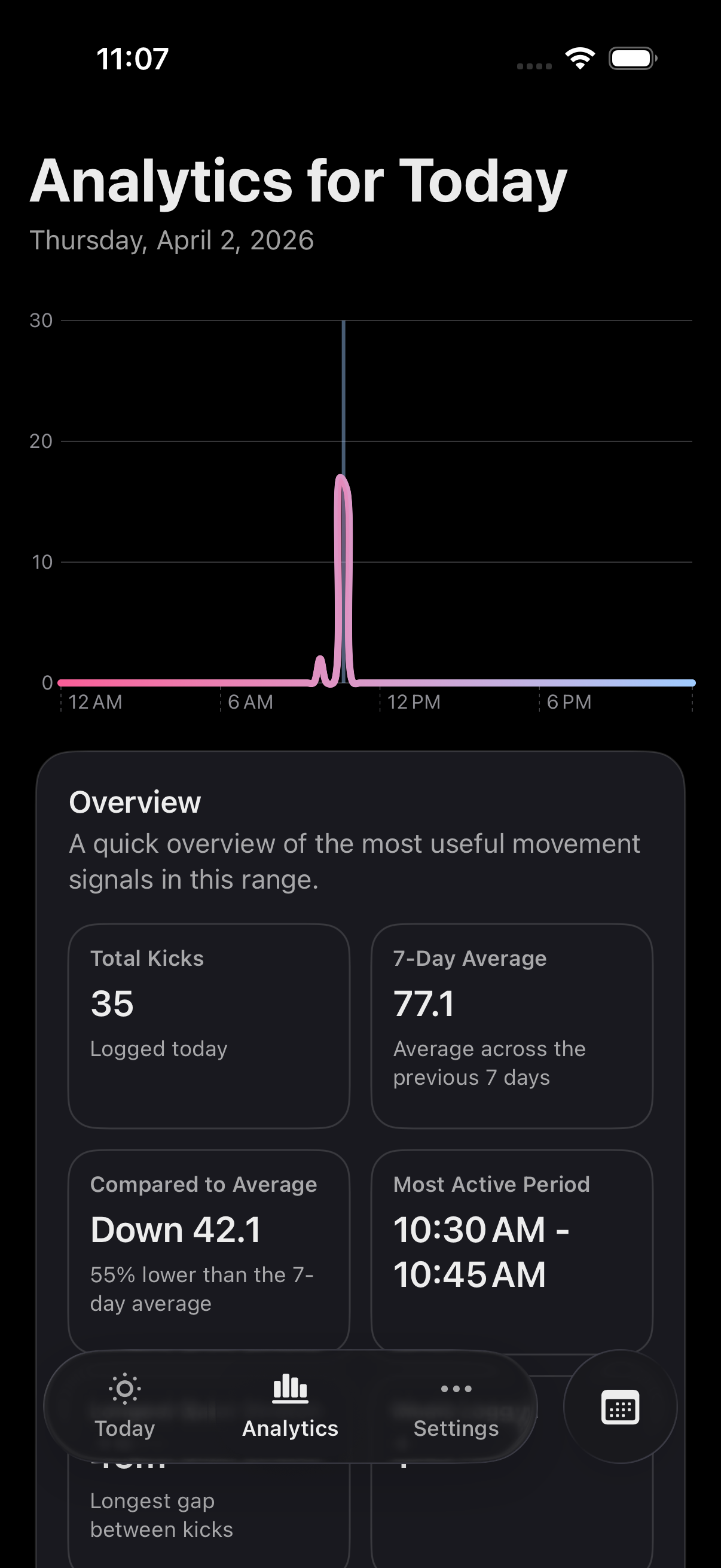
Kick Diary analytics for today.

Analytics for today

Compare today’s total with recent averages and see when movement was strongest.

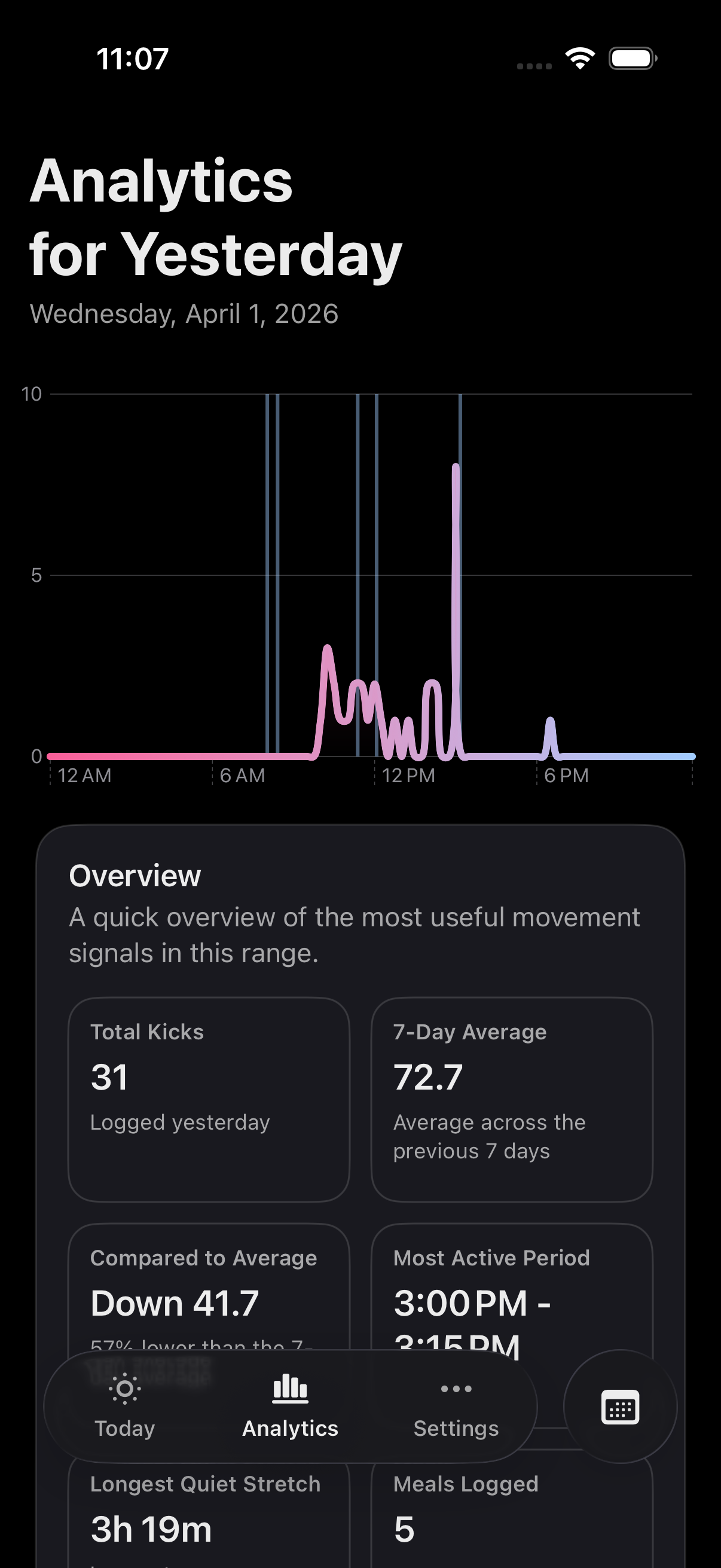
Kick Diary analytics for yesterday.

Yesterday in context

Review how yesterday compared with your recent baseline, including meals and quiet stretches.

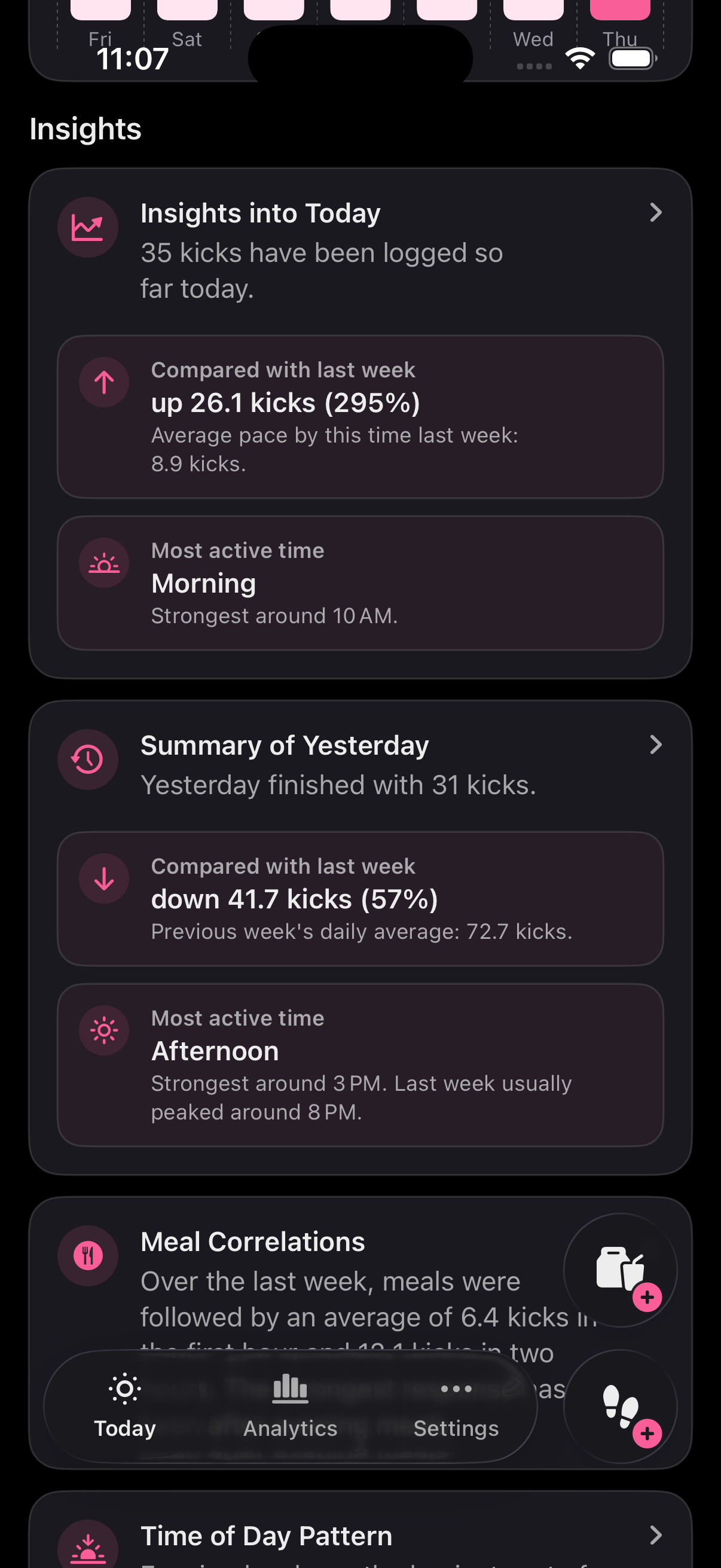
Kick Diary insight cards on the home screen.

Readable insights

Insight cards summarize changes, highlight active times, and make patterns easier to spot.

Premium and power features

Kick Diary Premium unlocks the deeper review tools and sharing options that help families get more from their diary over time.

Premium

Full analytics and daily reviews

Go beyond quick totals with richer analytics for longer ranges and daily reviews that help you reflect on movement patterns.

  • Today, Yesterday, Last Week, Last Month, and Last 3 Months analytics
  • Deeper overview cards and comparison signals
  • Meal correlation insights and time-of-day patterns
Premium

Sharing and export control

Premium makes it easier to keep others informed and take your data with you when you need it.

  • Share a diary with trusted people using read-only access
  • Export a complete timeline CSV of kicks, meals, and sessions
  • Export a weekday analytics CSV for pattern review
Premium

Make the app feel like yours

Personal touches and convenient surfaces help Kick Diary fit better into daily life.

  • Color theme selection
  • Customizable app icon
  • Widget support for fast updates and logging from the Home Screen

Tips for using Kick Diary

The app includes an in-app Tips section, and these are the core actions most people use every day.

Use the kick action button for quick logging or sessions

Tap the kick button to log a kick right away. Long press it to remove the most recent kick, add a previous kick, or start a kick-counting session.

Session mode is great when you want a focused stretch of kick tracking instead of one-off logging.

Use the meal button to log now or fix timing later

Tap the meal button to add a meal at the current time. Long press it when you need to remove the last meal or add one with a custom date and time.

Meal logging helps the app surface correlations between meals and movement.

Switch between diaries when profiles are shared with you

If more than one diary is available, the profile switcher on the Home screen lets you move between your diary and shared diaries. The current diary stays in front, and read-only diaries are clearly marked.

Use the calendar button to change analytics ranges

In Analytics, use the calendar action button to switch between Today, Yesterday, Last Week, Last Month, Last 3 Months, or a custom date range.

Custom ranges are helpful when you want to review a specific stretch of time or compare a memorable period.

Need help?

For support, questions, or feedback, contact the Kick Diary team directly by email.

Contact support

The fastest way to get help is to email us with a short description of what you’re seeing and which part of the app you were using.

diarykick@gmail.com
Open Email App

What to include

Tell us what you were trying to do, what happened instead, and whether the issue was on Home, Analytics, Settings, widgets, sharing, or export.

Screenshots help

If something looks wrong, include a screenshot. It helps us understand layout, button state, and the exact screen you were on.

Sharing and sync questions

If your question is about iCloud sync, shared diaries, or exports, mention that in the subject line so we can point you to the right fix faster.

Support email: diarykick@gmail.com